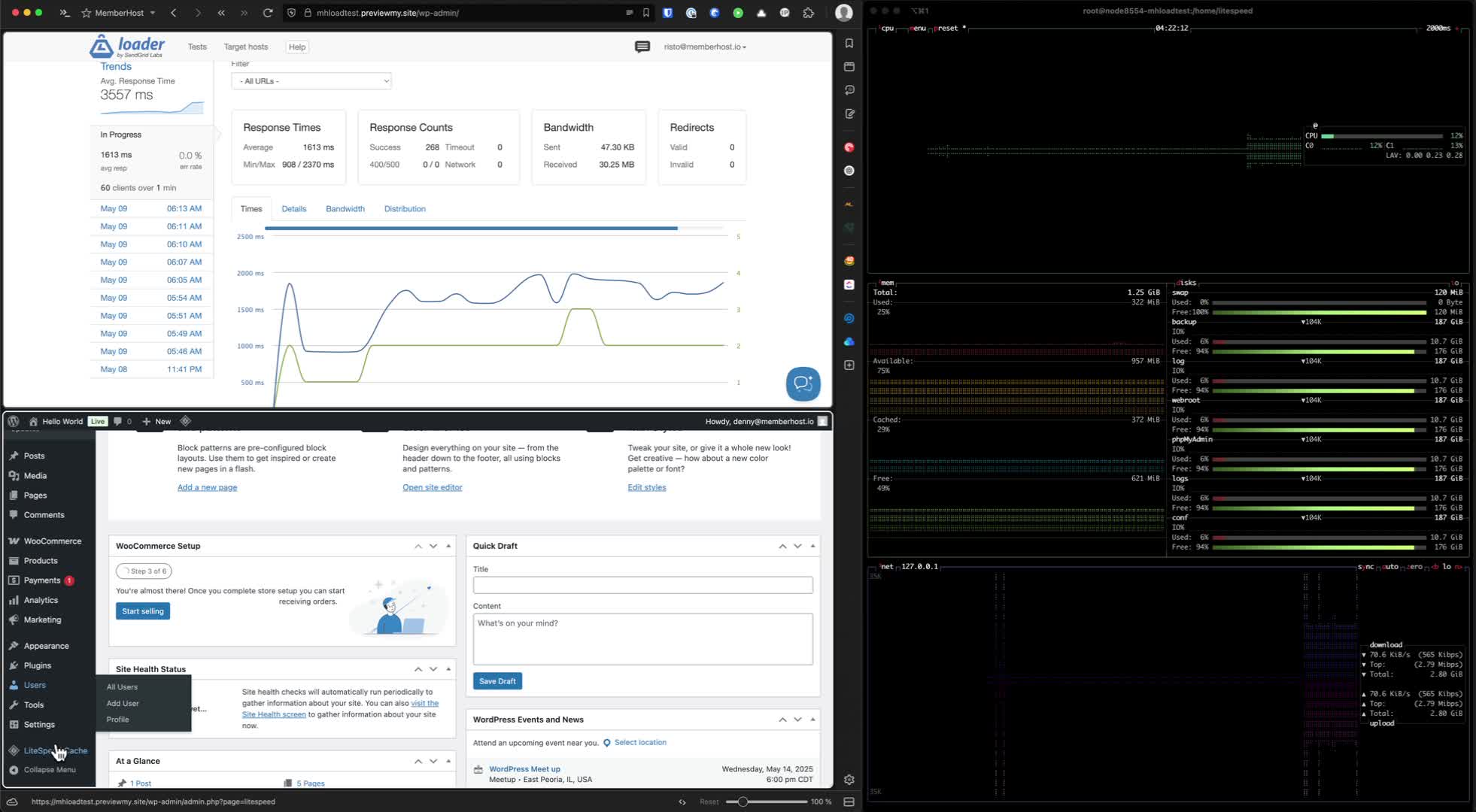
Your 99.9% uptime guarantee is a hollow promise if your site crawls the moment a member logs in. Most providers optimize for anonymous traffic; this leaves your logged-in students staring at spinning loading icons during your most critical launches. It is a specialized failure that standard hosting simply cannot fix. You need reliable wordpress hosting for membership sites that treats uncacheable, concurrent traffic as the priority, not an afterthought.
We know the anxiety of watching your dashboard lag while your database bloats under the weight of active sessions. It's time to stop settling for mediocre infrastructure that fails the moment you finally scale. This 2026 guide will show you how to build a high-performance foundation capable of supporting thousands of concurrent users with zero lag. You'll discover why the shift to WordPress 7.0 and PHP 8.3 demands a new technical standard for your stack. We are diving deep into clustered environments and failover sync technology to ensure your platform remains bulletproof, no matter how much traffic hits your server.
Key Takeaways
- Identify why standard caching layers fail for logged-in users and how to bridge the “concurrency gap” during your high-traffic launches.
- Master the technical requirements for 2026, including PHP 8.3+ configurations and Redis Object Caching to offload critical database strain.
- Learn how reliable wordpress hosting for membership sites uses clustered environments and load balancers to replace single-server vulnerabilities with resilient networks.
- Discover the impact of HTTPS/3 (QUIC) and automated failover sync technology on reducing latency while maintaining 100% functional uptime.
- Uncover how a specialized, performance-first architecture can scale your community without the typical dashboard lag or site crashes.
The Concurrency Gap: Why Standard Hosting Fails Membership Sites
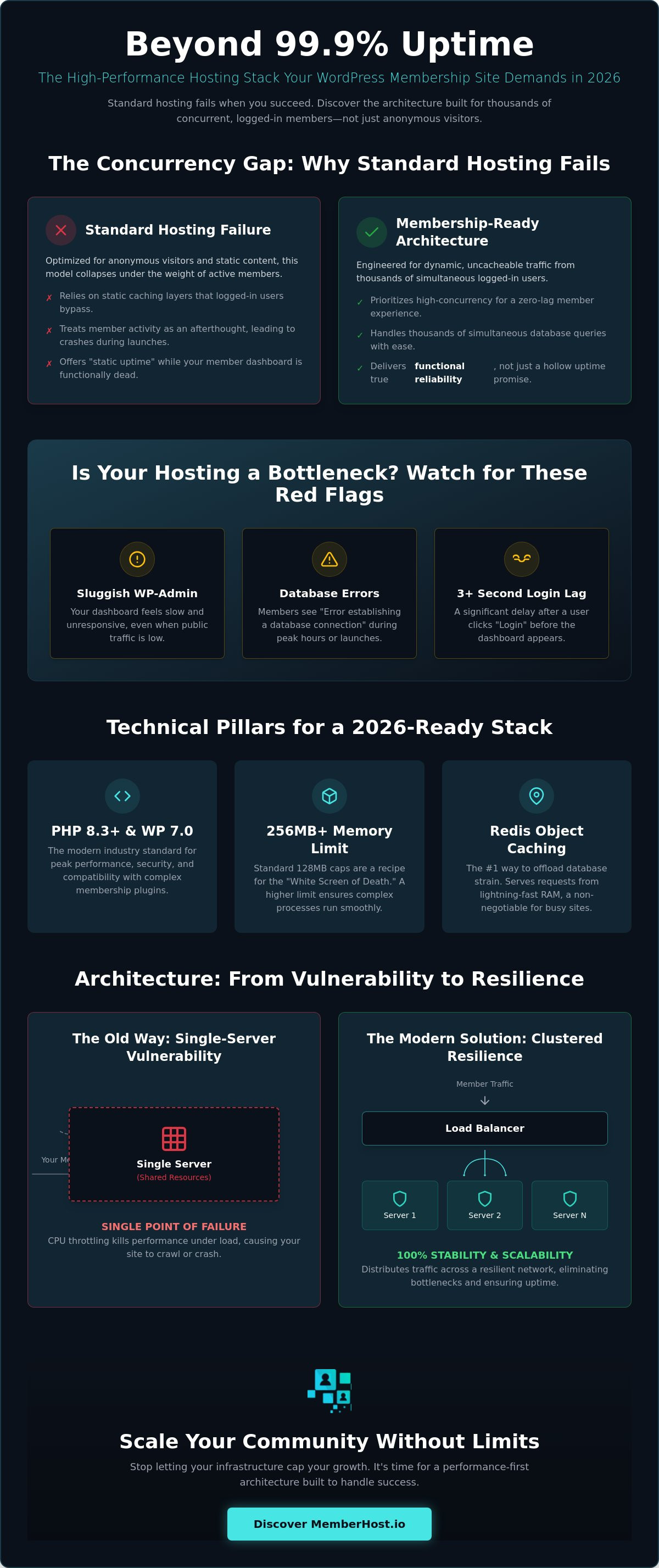
Most site owners look at their “uptime” percentage and feel safe. It's a dangerous delusion. A standard web hosting service might keep your homepage online while your member dashboard is effectively dead. This is the difference between static uptime and functional reliability. When a visitor hits your blog, they get a cached, static file. It's easy. But when a member logs in, they bypass 99% of those caching layers. Your server has to build a unique page for that specific user, checking permissions, progress, and account status in real time. This is the membership bottleneck.
Think of your platform as two separate sites living under one domain. You have the public front-end, which is fast and light. Then you have the dynamic member portal, which is a resource-hungry beast. Standard hosting is built for the former. Reliable wordpress hosting for membership sites must be engineered for the latter. If your server can't handle a surge of concurrent, logged-in users, your site will crash during your most profitable moments. An hour of downtime during a course launch doesn't just lose immediate sales. It triggers member churn that can haunt your recurring revenue for months.
The Myth of Unlimited Shared Hosting
Shared hosting is a death trap for serious communities. You're crammed onto a server with hundreds of “noisy neighbors” who steal your resources. Complex plugins like MemberPress or LearnDash require significant processing power that shared environments simply don't provide. When your member activity spikes, your host will likely use CPU throttling to protect other sites on the server. It's a silent killer. Your site doesn't “go down” in a way that triggers an alert; it just slows to a crawl until your members give up in frustration. To scale effectively, the fastest wordpress hosting for membership sites must move beyond static caching to handle these intense server-side demands.
Managing Dynamic Content at Scale
Most hosting advice focuses on image optimization. For a membership site, that's secondary. Your real bottleneck is the database. Every time a member clicks “complete lesson” or “view profile,” a PHP worker has to process that unique request. If you only have two or three PHP workers available, your members will wait in a digital queue. You can identify if your current host is choking your dashboard by watching for these red flags:
- The WordPress admin feels sluggish even when public traffic is low.
- Members report “Error establishing a database connection” during peak hours.
- There is a noticeable lag of 3 seconds or more after a user clicks “Login” before the dashboard appears.
These are the symptoms of an environment that isn't built for high concurrency. You need a system where the database is optimized for thousands of simultaneous queries rather than just serving static HTML. Without this foundation, your growth will always be capped by your infrastructure's inability to process unique user requests at scale.
The Technical Pillars of Reliable Membership Hosting in 2026
To achieve reliable wordpress hosting for membership sites in 2026, you must stop treating your server like a generic container. The baseline has shifted. WordPress 7.0 and PHP 8.3 are now the industry standard. Most hosts cap your memory at 128MB per process. This is a recipe for a “White Screen of Death” during a busy checkout. You need a minimum of 256MB. This ensures your server has the headroom to process complex membership logic without choking. It is about precision, not just raw power.
Then there is Redis Object Caching. It's the single most effective way to offload database strain for logged-in members. Instead of your server querying the database every time a student views a lesson, Redis stores those results in lightning-fast RAM. It is not an optional extra; it is a requirement for high-concurrency environments. If your host doesn't offer it, they aren't ready for your growth.
Generic servers are built for blogs. They aren't built for your unique tech stack. A custom-configured stack beats a “one-size-fits-all” server every time because it is tuned for your specific database queries. Stop relying on bloated performance plugins. They often add more overhead than they save. True speed happens at the server level, where it can't be slowed down by plugin conflicts or poor coding.
Database Optimization for High Concurrency
Your database is the engine of your membership site. If it shares resources with other processes, you get query lag. We provide dedicated database resources to ensure your data stays accessible. At MemberHost, we optimize MySQL specifically for the heavy, complex queries typical of LMS platforms. We also move your cron jobs from the default wp-cron to a system-level cron. This prevents the massive server spikes that happen when dozens of scheduled tasks fire at once. It keeps your site responsive for everyone.
WordPress-Level Performance Tuning
Efficiency starts in your wp-config.php file. We tune these settings to limit the WordPress Heartbeat API, which can otherwise overwhelm your server with frequent AJAX requests from logged-in users. Managing this API is critical for maintaining stability during peak traffic. If you aren't sure where your current bottlenecks are, you can start with a free site speed audit to see exactly how your plugin stack is performing under pressure. This audit provides a clear roadmap for your technical growth and identifies the silent killers of your performance.
Clustered Environments vs. Single Servers: Architecture for 100% Stability
Most site owners are trapped in a “single point of failure” mindset. They buy a bigger server, add more RAM, and hope for the best. This is vertical scaling, and it has a hard ceiling. No matter how powerful that single machine is, it can still crash, reboot, or hit a hardware limit during a massive launch. Reliable wordpress hosting for membership sites requires a shift to horizontal scaling. This means moving from one isolated server to a clustered environment. In this architecture, your site lives on a resilient network of multiple server nodes working in perfect unison.
Traffic management is the heart of this system. Load balancers act as the ultimate traffic cops, instantly distributing incoming member requests across the healthiest available nodes. If one server node experiences a glitch or reaches capacity, the load balancer redirects traffic to another without your members ever noticing a lag. This is how we achieve true high availability for national associations and enterprise communities. It is not just about staying online; it is about maintaining elite-level performance when thousands of members hit your dashboard simultaneously.
Failover Sync Technology Explained
Scaling horizontally is useless if your data isn't consistent. If a student completes a lesson on Node A, that progress must be visible on Node B a millisecond later. MemberHost utilizes Failover Sync Technology to ensure member data is identical across the entire cluster in real-time. Many generic providers ignore this synchronization, leading to “split-brain” scenarios where members see different versions of their own accounts. During a high-traffic launch, database and file synchronization are your only defense against data corruption. Standard backups are a safety net for yesterday's mistakes. Real-time failover is your engine for today's survival.
Single Server vs. Clustered: A Comparison
The difference between these two approaches becomes painfully clear on launch day. A single server is limited by its physical hardware. When it hits 100% CPU usage, the site stops responding. Clustered environments are mandatory for platforms with 1,000 or more active members because they offer an “Obsessed Innovator” approach to infrastructure. We don't just optimize a single box; we build a distributed system that eliminates downtime entirely. While single servers offer basic uptime guarantees, clustered architecture provides functional reliability. Your members don't care if the server is “up” if the dashboard won't load. They want results, and a clustered network is the only way to guarantee them at scale.
Securing the Member Experience: Let’s Encrypt and Automated Failover
Security is often the invisible wall slowing down your member login. Most providers treat SSL as a simple checkbox. This is a massive oversight. In 2026, security is a performance enabler. With the industry shift toward shorter 45-day SSL certificate lifespans as of May 13, 2026, manual management is a relic of the past. If your host doesn't have a robust, automated ACME protocol implementation, your site will eventually go dark during a critical launch. Reliability means never having to worry about an expired certificate.
We utilize HTTPS/3 (QUIC) to radically reduce latency. Traditional HTTPS requires multiple back-and-forth handshakes before a single byte of data moves. QUIC cuts through this noise. For a logged-in member, this means the difference between an instant dashboard and a three-second hang. Reliable wordpress hosting for membership sites must integrate these protocols at the server level to protect your recurring revenue models. When members trust your platform, they stay subscribed. Security is trust. Trust is revenue.
Protecting Sensitive Member Data
GDPR and CCPA compliance in 2026 are non-negotiable. Encryption is the baseline, but true protection goes deeper. Brute force attacks on login pages are the primary threat to membership communities. We implement server-level security rules that block these attempts before they ever touch your WordPress install. By integrating security directly into our clustered stack, we ensure that reliable wordpress hosting for membership sites provides a fortress for your user data without sacrificing speed. You can achieve this level of security and speed with our WordPress Level Performance Optimization services.
Setting Up Let’s Encrypt for Your Membership Site
Implementing a zero-maintenance security layer requires a methodical approach at the server level. Don't rely on basic plugins for this. Follow these three critical steps for a professional setup:
- Step 1: Ensure server-level ACME support. Your hosting environment must communicate directly with Let’s Encrypt to handle renewals automatically every 45 days.
- Step 2: Automate the challenge-response cycle for wildcard subdomains. This is essential if you use subdomains for different course tiers or community areas.
- Step 3: Verify OCSP stapling. This allows your server to provide proof of certificate validity to the member's browser instantly. It shaves milliseconds off the initial SSL handshake.
Automated security is the foundation of a professional membership experience. It prevents the “Not Secure” warnings that kill conversion rates and destroy member confidence. When your security is automated and integrated into a failover-ready stack, you stop reacting to threats and start focusing on your community's growth.
Scaling Your Community with MemberHost’s Performance-First Architecture
Stop settling for “good enough” infrastructure. Your membership platform is a complex ecosystem, and treating it like a basic blog is a recipe for technical debt. Most providers offer a generic environment and expect you to do the heavy lifting. We take the opposite approach. MemberHost provides reliable wordpress hosting for membership sites by architecting custom-configured environments specifically for your tech stack. We don't just host your files; we become a partner that advocates for your platform's long-term stability. This is the difference between a vendor and a specialist.
Our proactive methodology means we find the bottlenecks before your members ever experience them. While other hosts wait for your site to crash before offering “support,” we monitor the specific metrics that matter for high-concurrency sites. We look at PHP process execution times, database query efficiency, and object cache hit rates. This data allows us to tune your server in real-time, ensuring that your community remains fast, responsive, and reliable during your most intense traffic periods. It is elite-level capability designed for site owners who refuse to settle for average outcomes.
Real-World Stability for Course Launches
Launch day shouldn't be a source of anxiety. We have documented cases of platforms handling 10,000+ concurrent logins without a single 502 error. This level of stability is only possible through the specialized membership support and clustered environments we've discussed. Elite site owners choose us because they know a single crash can destroy their reputation and their revenue. We provide the peace of mind that comes with knowing your infrastructure is handled by experts who understand the unique pressure of a massive course launch. We are obsessed with the technical details so you can stay obsessed with your members.
Take the Next Step Toward Reliability
Transitioning from a failing, single-server host to a resilient clustered environment is the most important move you can make for your business. It is the bridge between a struggling site and a scalable community. Your journey starts with a clear understanding of your current limitations. Our free site speed audit serves as a comprehensive roadmap for your growth, identifying the silent killers in your plugin stack and server configuration. It is time to replace your hosting anxiety with a sense of security. You can Audit your membership site speed for free today and discover exactly what it takes to build a bulletproof foundation for your community.
Future-Proof Your Community with Architecture That Never Blinks
You've seen why standard hosting fails the moment a member logs in. It is a fundamental architecture problem that “bigger” servers cannot solve. True reliability comes from a clustered network where load balancers and Failover Sync Technology protect your data in real-time. By moving to PHP 8.3 and leveraging Redis object caching, you eliminate the database strain that kills high-traffic launches. We've moved beyond the era of “good enough” hosting. It's time for specialized excellence.
Finding reliable wordpress hosting for membership sites isn't just about speed; it's about functional uptime when your revenue is on the line. Whether you are running LearnDash, MemberPress, or a custom portal, our specialized clustered environments are designed for 100% uptime. Stop guessing about your performance and find your bottlenecks before they cost you a sale. Get Your Free Membership Site Speed Audit and start building on a custom-configured stack that matches your ambition.
The transition from a fragile single server to a resilient cluster is the definitive step toward professional scaling. Your members deserve a platform that stays as fast as your growth. Let's build something bulletproof together.
Frequently Asked Questions
Why is my membership site slower than my regular WordPress blog?
Logged-in users bypass the static caching that makes standard blogs feel fast. Every click from a member forces the server to process unique PHP requests and database queries in real-time. This dynamic processing is significantly heavier than serving a pre-rendered HTML file to a guest. Without a specialized stack, your server gets bogged down by the sheer volume of these uncacheable requests, leading to the dreaded spinning loading icon.
Does a membership site really need a clustered environment?
Clustered architecture is essential for any platform scaling beyond basic traffic levels. It eliminates the single point of failure found in traditional servers by distributing member traffic across multiple nodes. This horizontal scaling ensures that if one server node hits its limit or fails, the load balancer redirects users to a healthy one instantly. It is the only way to guarantee 100% functional uptime during high-concurrency periods.
What are PHP workers and how many do I need for 1,000 members?
PHP workers are the background processes that handle every unique, non-cached request on your site. For a community with 1,000 members, the requirement depends on your concurrency rate. If 100 members are active simultaneously, you need a high-memory environment with specialized process management. Standard hosts often cap these too low; this causes the site to hang when too many members attempt to log in at the same time.
How does MemberHost handle high-traffic course launches?
We utilize a combination of clustered architecture and Failover Sync Technology to maintain stability under massive load. By distributing traffic across multiple server nodes, we prevent any single machine from becoming a bottleneck. Our team also performs WordPress Level Performance Optimization before you go live. This ensures your database and object caching are tuned specifically for the influx of new students. We find the limits so your members don't.
Can I use Let’s Encrypt for a high-security membership site?
Yes, and it is the standard for reliable wordpress hosting for membership sites in 2026. Let’s Encrypt provides automated, high-grade encryption that is essential for protecting member data and payment information. When combined with the ACME protocol for automated renewals, it ensures your SSL certificates never expire. We integrate this with HTTPS/3 (QUIC) to provide both elite security and significantly reduced login latency for your members.
Will my membership site crash if I use too many plugins?
It is not about the quantity of plugins, but the resource efficiency of their code. High-concurrency sites often struggle with plugins that run heavy database queries on every page load. While we recommend keeping your stack lean, a properly configured server with Redis Object Caching can handle complex setups. If your hosting environment is under-powered, even a few poorly optimized plugins will cause a total site failure during peak traffic surges.
What is failover sync technology and why does it matter for LMS sites?
This technology ensures that member data, such as course progress and quiz results, is synchronized across all server nodes instantly. For LMS platforms, this is critical; a student should never lose their place just because a load balancer moved them to a different node. It prevents “split-brain” data errors and ensures a seamless experience. It is a core pillar of functional reliability that standard backup services simply cannot replicate.
How do I know if my current hosting is reliable enough for my growth?
Watch for dashboard lag, “502 Gateway Errors” during email sends, or slow login times. These are clear signs that your infrastructure is choking on concurrent traffic. If your site feels sluggish the moment more than 20 people log in, you have outgrown your current setup. You can request a free site speed audit from us to get a definitive technical roadmap and identify exactly where your current host is failing.